
Native macOS launcher · Open source
Walter is a native macOS launcher that fetches apps, answers, and shortcuts the instant you ask. No Electron. No accounts. Nothing phones home. Just 4.3 MB of Swift and a plain-text config file.
The fastest way in and out of your Mac
Walter opens the instant you press the key and narrows results on every keystroke — no spinner, no lag, no cloud round-trip. Nothing on your Mac gets you to an app or an answer faster, Spotlight included.
What Walter does
Fuzzy-match every app and 40+ System Settings panes. Frecency-ranked, prefix-biased.
vsc → Visual Studio CodeCalculator, unit conversions, and live currency rates — answer copied on Enter.
$100 in euro · 10 km in milesYour own aliases — URLs, files, shell commands, parameterized templates with {query}.
y cat videos → YouTubeAnything else bounces out to your engine of choice. Google, Kagi, DuckDuckGo, any template.
?how to notarize a dmgWhat Walter is not
Pure Swift + AppKit. CGEventTap for the hotkey, NSVisualEffectView for the blur, FSEvents for the index. No webview pretending to be a window.
No account, no sign-in, no telemetry, no upsell. It works offline and it minds its own business. Read the ~3,000 lines and confirm it.
No extension API or third-party JS sandbox to babysit. Features earn their place by removing friction — otherwise they don't ship.
Config as code
Every option lives in one ~/.config/walter/config.toml — readable, diffable, and version-controlled. Drop it in your dotfiles. Save the file and Walter hot-reloads instantly. 21 built-in themes, or drop a .theme file of your own.
# save the file — Walter reloads instantly
[theme]
name          = "catppuccin-mocha"
border_radius = 12

[keybindings]
open = "Alt+Space"   # any combo

[layout]
mode  = "list"      # list | grid
scale = 1.0         # 3.0 = huge

[aliases.y]           # named + parameterized
name = "YouTube"
url  = "https://youtube.com/results?search_query={query}"
How it compares
| Walter | Raycast | Alfred | Spotlight | |
|---|---|---|---|---|
| Price | Free | Free; paid Pro / AI | Free + paid Powerpack | Built-in |
| Open source | ✓ MIT | — | — | — |
| Built with | Swift + AppKit | WebView + Node (v2.0) | Native | Native |
| Account required | None | Yes | None | None |
| Telemetry | None | Extensive | Minimal | Apple |
| App size | 4.3 MB | ~100 MB+ | tens of MB | built-in |
| Plain-text config | ✓ TOML | GUI / cloud | GUI | — |
| Calculator / unit / currency | ✓ all three | ✓ | Powerpack | partial |
Raycast 2.0 moved to a React/TypeScript web UI on a Node.js runtime and is VC-backed with paid Pro/AI tiers; Alfred is mature and beloved. Walter stays pure Swift + AppKit, free, and open.
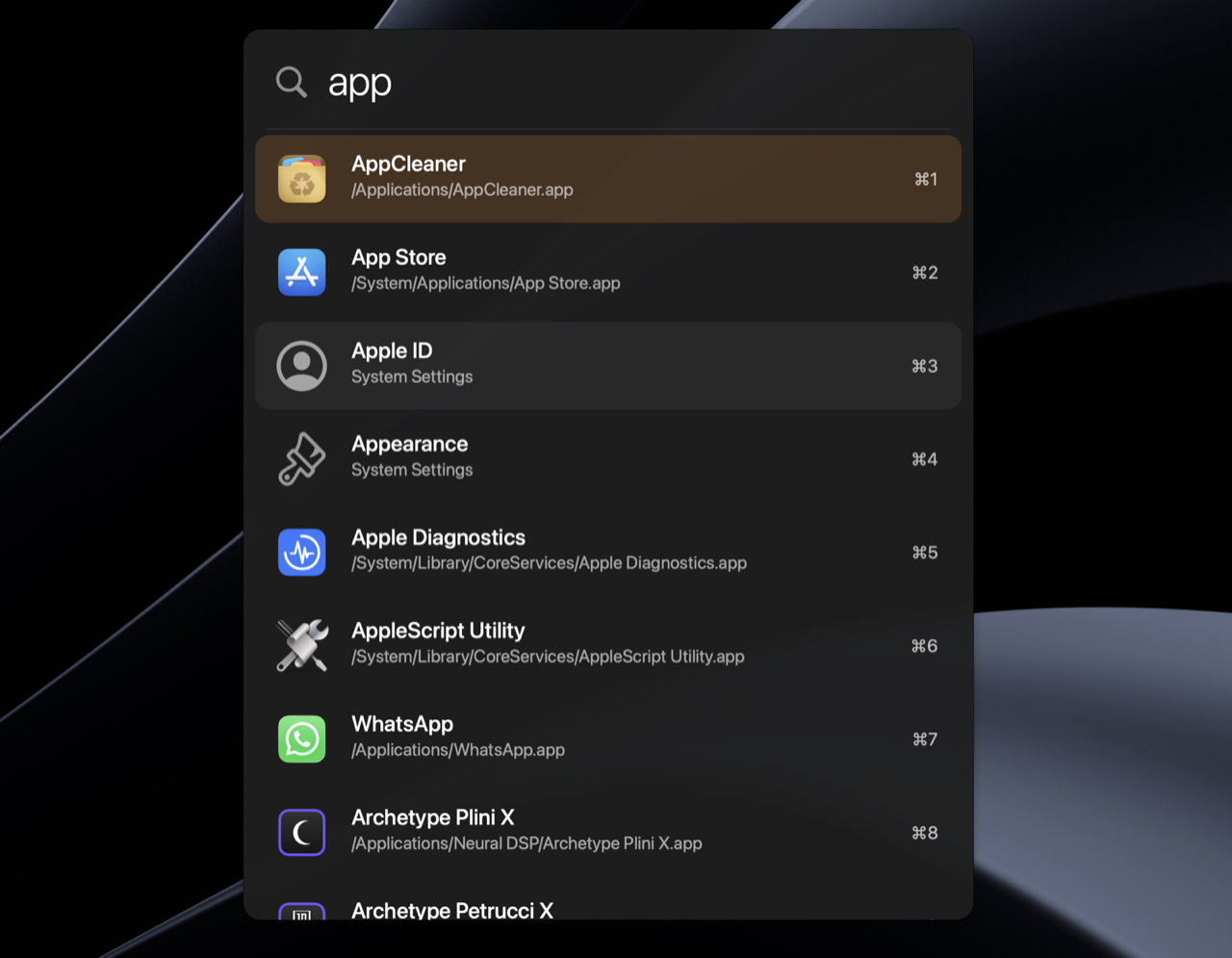
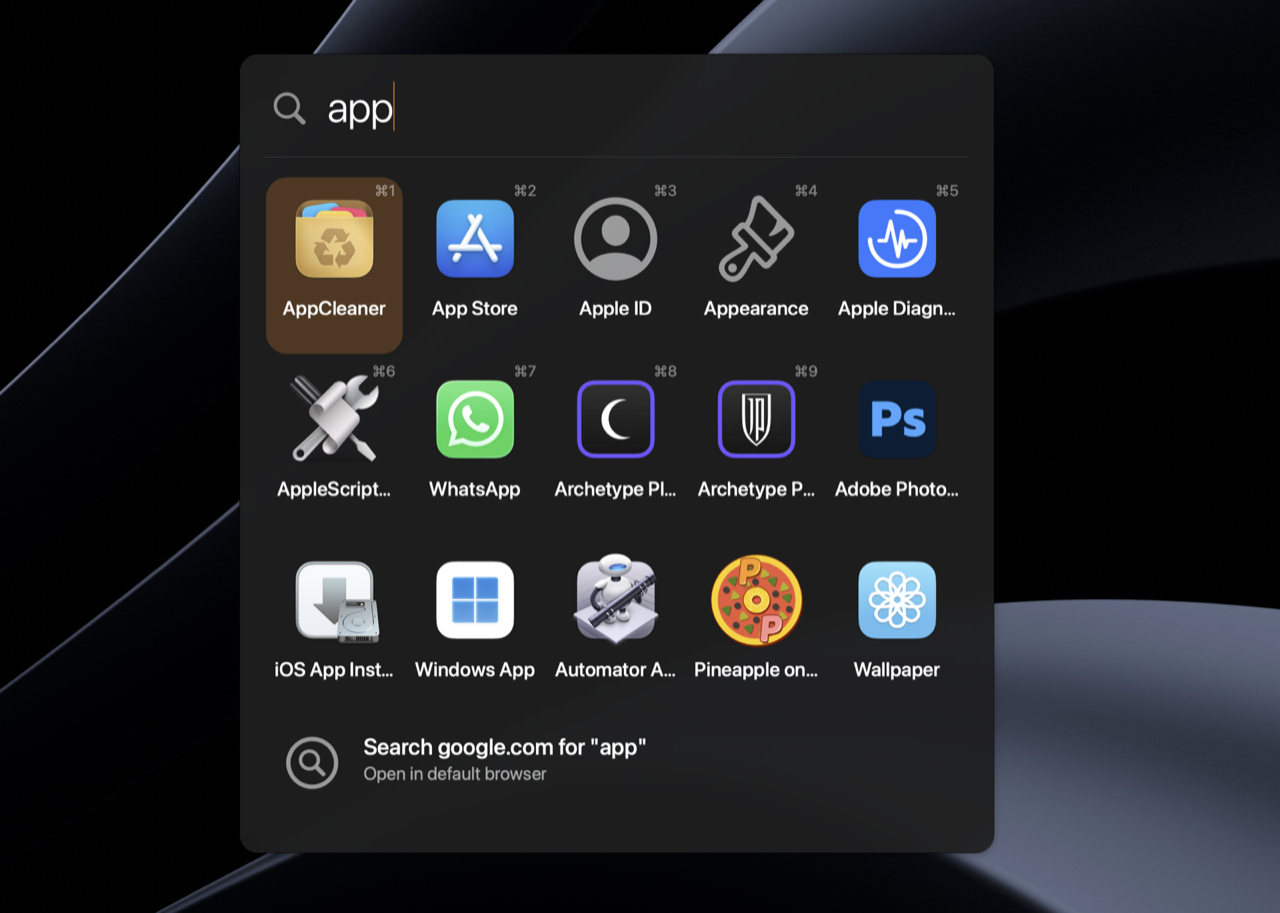
Two layouts
Switch with one line of config. 21 built-in themes — Catppuccin, Nord, Dracula, Tokyo Night, Gruvbox, Rosé Pine — live-previewed from inside the launcher.
Questions
Completely. Walter is free and open source under the MIT license — no paid tier, no Powerpack, no upsell, ever.
No. It's pure Swift and AppKit. The release build is around 4.3 MB — there's no Chromium runtime, no Node bundle, no 200 MB DMG.
No telemetry, no sign-in, nothing phones home. Walter works fully offline and you can audit the ~3,000 lines of source to confirm it.
Yes — a native, open-source one. Walter does launching, computing, and shortcuts without accounts, subscriptions, or a plugin marketplace to maintain.
Yes, natively. Walter requires macOS 13 (Ventura) or later.
Walter's global hotkey needs Accessibility access, which the App Store sandbox forbids. So it ships as a notarized DMG straight from GitHub — drag it to Applications and grant Accessibility once.
Free, open source, 4.3 MB. macOS 13 or later. Drag it to Applications, hit Alt+Space, and get back to work.
brew install --cask walter · coming soon